1. Strong Master Password-Based Access Control
Users are required to set a master password during the initial setup. This master password protects all user data and is stored as a SHA-256 hash, preventing direct exposure.
When a user logs in, the entered password is hashed and compared with the stored hash. This approach ensures that the original password is never stored, minimizing the risk of exposure even in the event of a breach.
2. AES-256 Encryption for Sensitive Data Protection
Passwords are stored locally using AES-256 encryption. The encryption key is derived from the master password and is used to decrypt the data when the user logs in.
This double encryption method ensures that passwords remain secure and inaccessible without the correct decryption key.
3. Password Strength Validation and Recommendation
When setting or changing passwords, real-time strength analysis provides feedback to the user. Weak passwords are flagged, encouraging users to set stronger passwords and enhancing overall security.
The strength assessment is based on criteria such as length, uppercase letters, lowercase letters, numbers, and special characters.
4. Automatic Logout for Session Security
Users are automatically logged out after a period of inactivity. This feature prevents unauthorized access if the user steps away from their device, reducing the risk of sensitive information exposure.
5. Secure Implementation of Password Management Functions
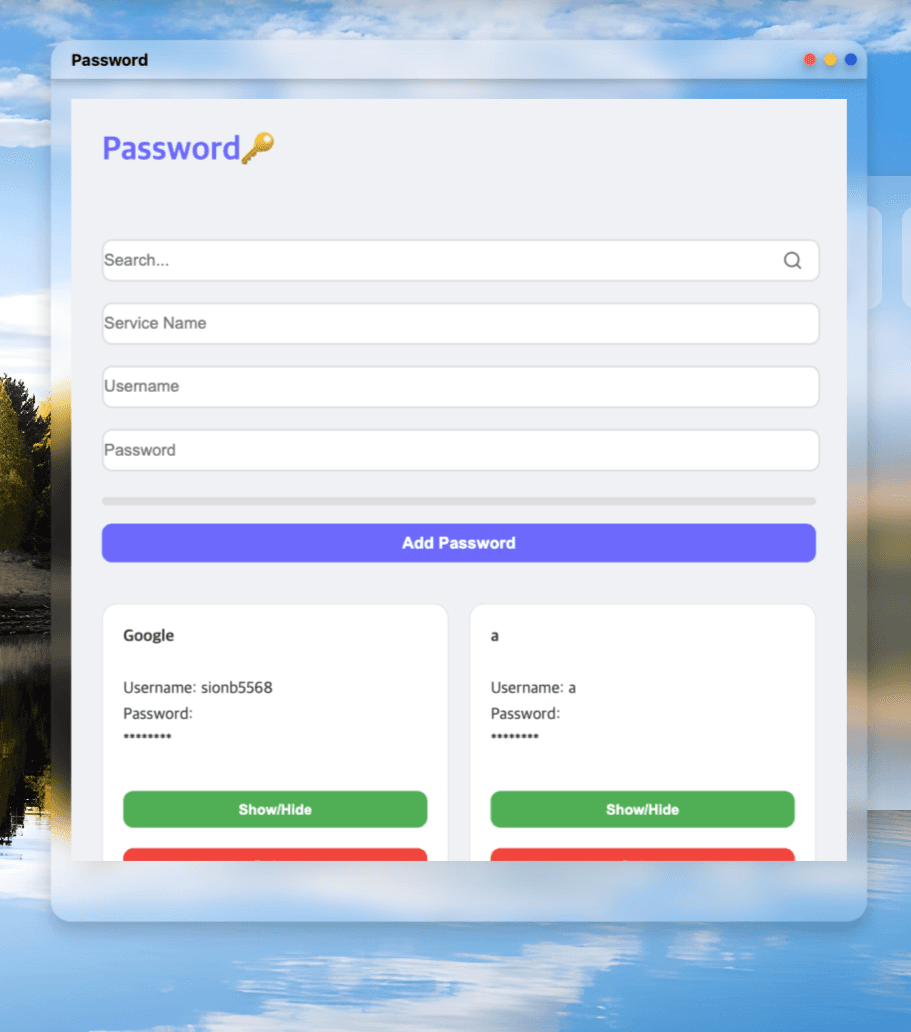
Passwords are stored in an encrypted format along with service names and usernames. User interface functions like search are performed using non-sensitive, unencrypted metadata.
Whenever a password is added, edited, or deleted, the changes are reflected in encrypted form within local storage, ensuring that data remains secure even in a local environment.
6. Automatic Logout Timer Reset Based on User Activity
The automatic logout timer resets with each detected user activity (e.g., mouse movement, keypress). This prevents unnecessary logouts while the user is actively using the application.
7. Minimizing Password Exposure by Design
Passwords are hidden by default and can only be viewed when the user actively chooses to reveal them via a "Show/Hide" button.
When copying passwords, they are directly copied to the clipboard with immediate notifications to inform the user of the action.